How to Become a BitPOS Tindahan Delivery Guy &
How to Use the Delivery Platform
/
/
Get commissions per delivery on our BitPOS Tindahan partners. Make agreements with our partner Tindahan with your delivery fee or commission. It is FREE! BitPOS Tindahan will not charge you anything. The delivery agreement is just between you and our partner tindahan.
/
Be a Delivery
Service Provider at 
BitPOS 
Tindahan

/
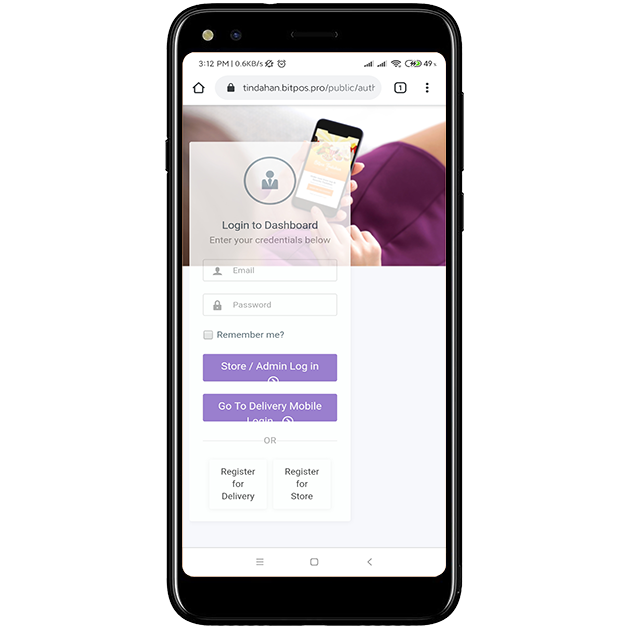
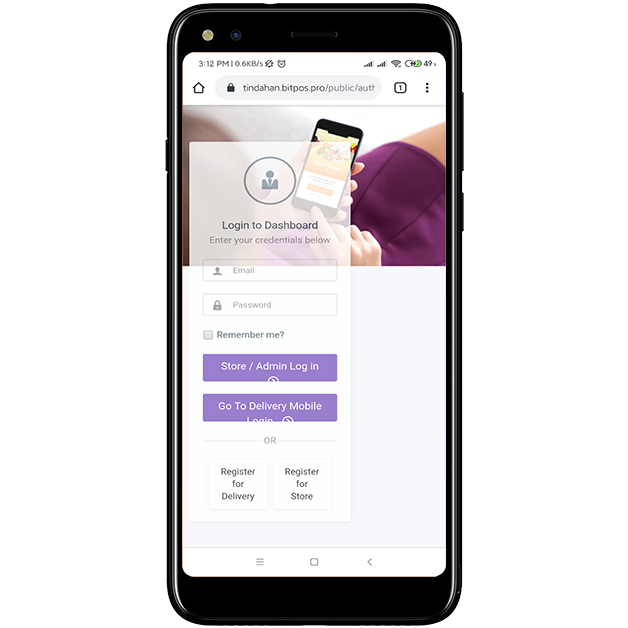
If you want to become a delivery guy at BitPOS Tindahan partner stores. Sign up by opening this web address:
https://tindahan.bitpos.pro/public/auth/login
and choose the Register for Delivery button.
STEP 1
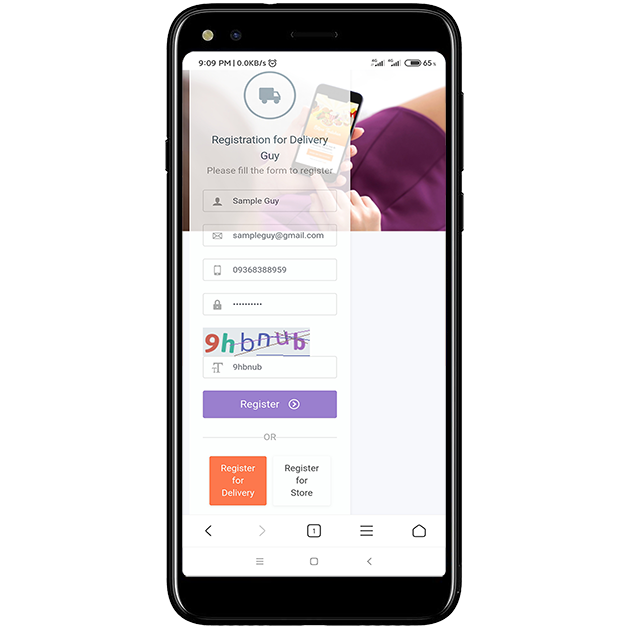
If you are in the sign-up page, fill in all the necessary fields to complete the registration process, make sure you enter captcha right.
STEP 2
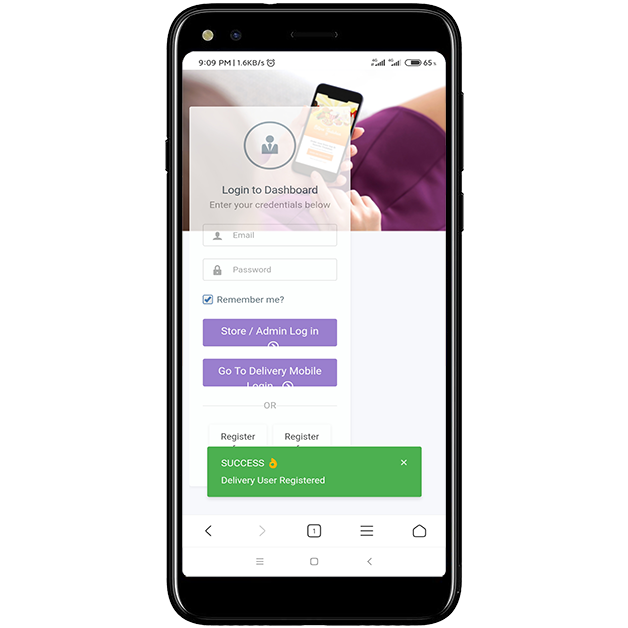
After submitting the all the information, there will be a pop up image that you are successful in registering, just like in the phone display at the left.
STEP 3
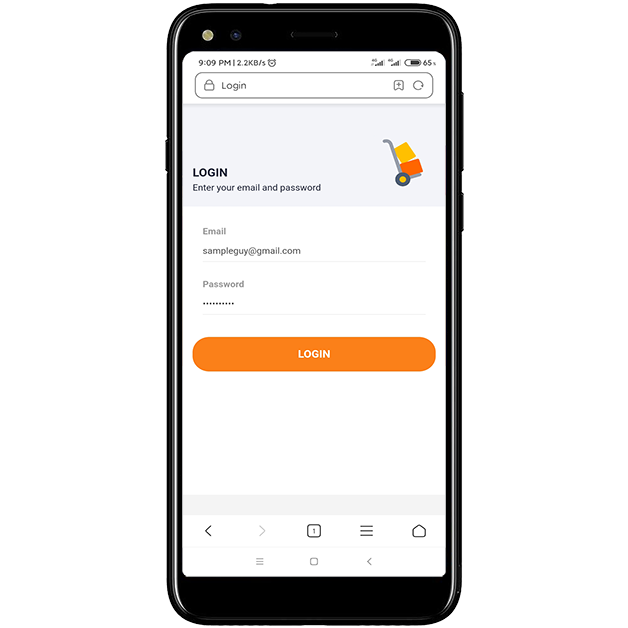
Login your delivery account at this web address:
https://tindahan.bitpos.pro/delivery

or download BitPOS Tindahan Delivery App from Google Play Store.

https://play.google.com/store/apps/details?id=com.bitpos_tindahan_delivery.twa
STEP 4
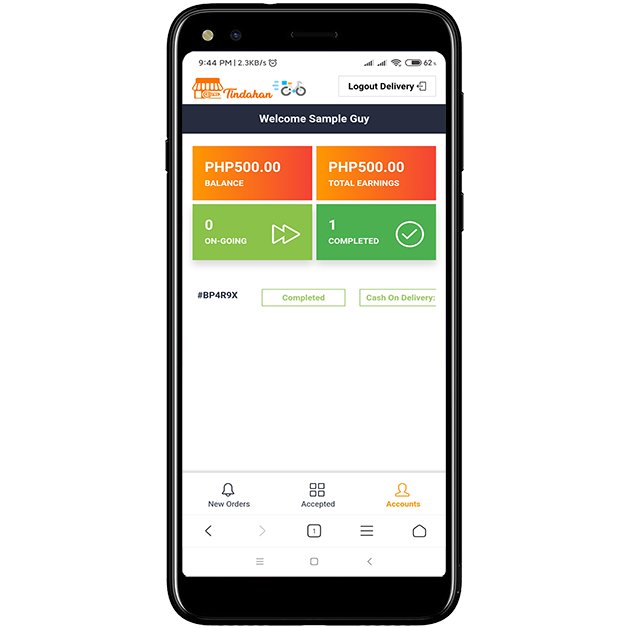
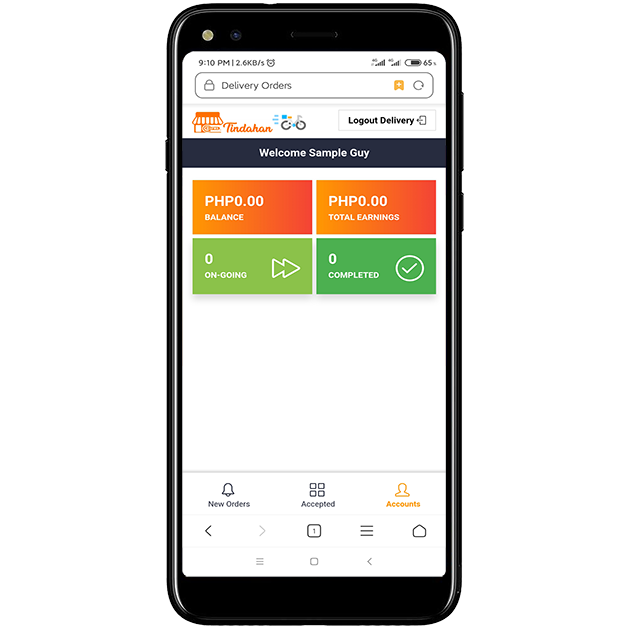
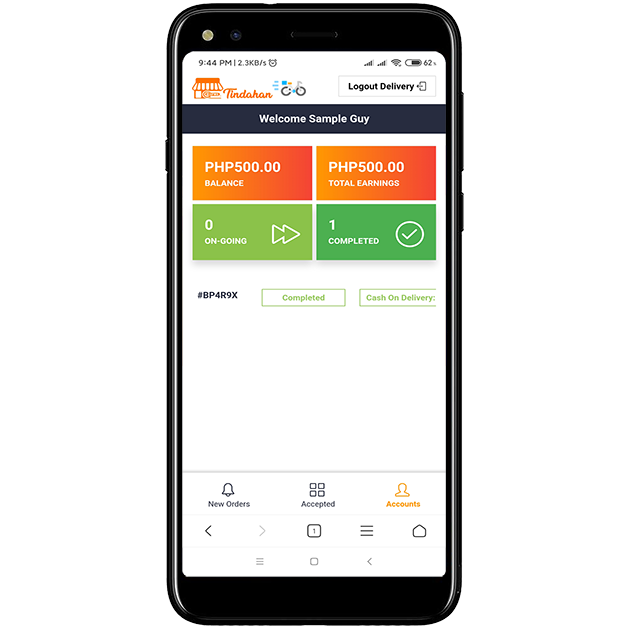
In your Account Dashboard it displays your current earnings based on the commission you get  from each delivery, also the number of completed deliveries.
STEP 5
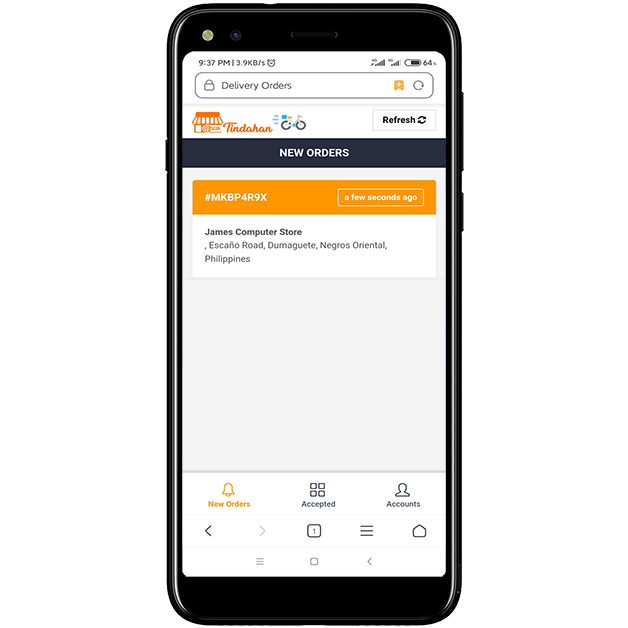
In your New Orders tab, you can see the new orders from the BitPOS Tindahan store that you are assigned. Click the order in order to view the content(s). 
STEP 6
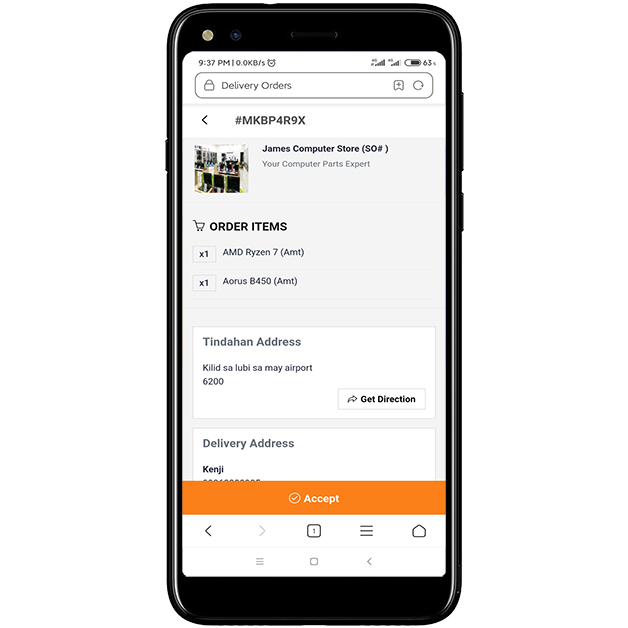
After viewing the order you can accept the order so that you can pick it up and deliver it.
STEP 7
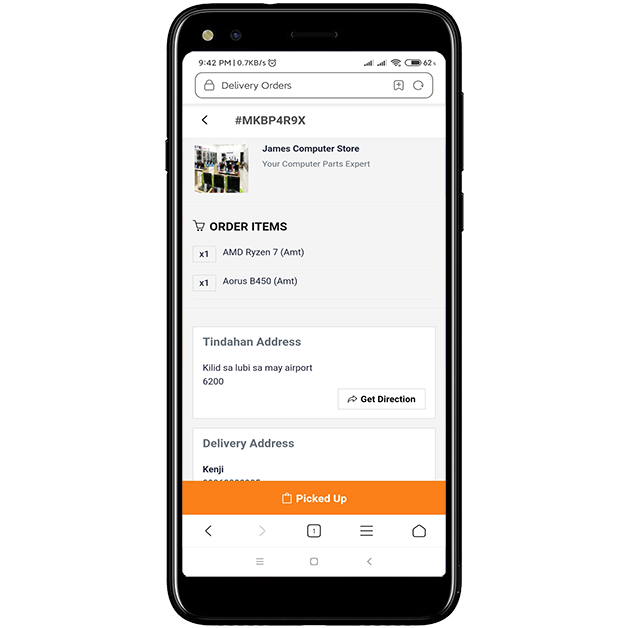
After accepting the order you will pickup the order from the partner tindahan so that you can deliver it on time.
STEP 8
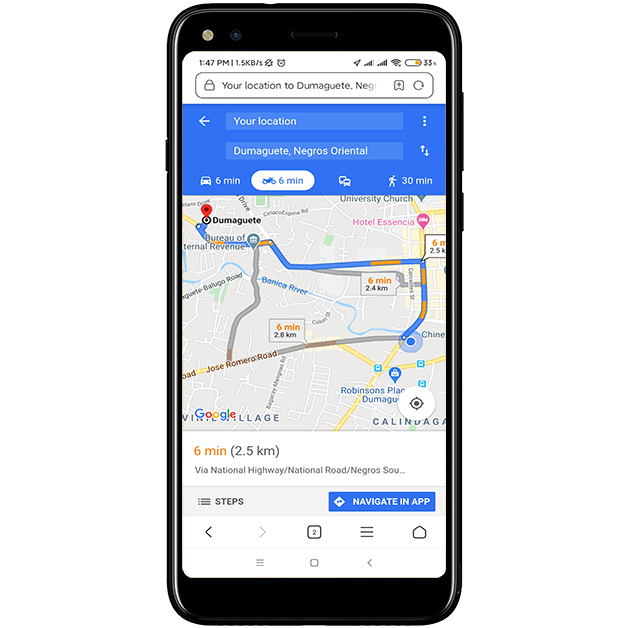
After you picked up the order view your route through Get Direction button and it will display the best route based on Google Map.
STEP 9
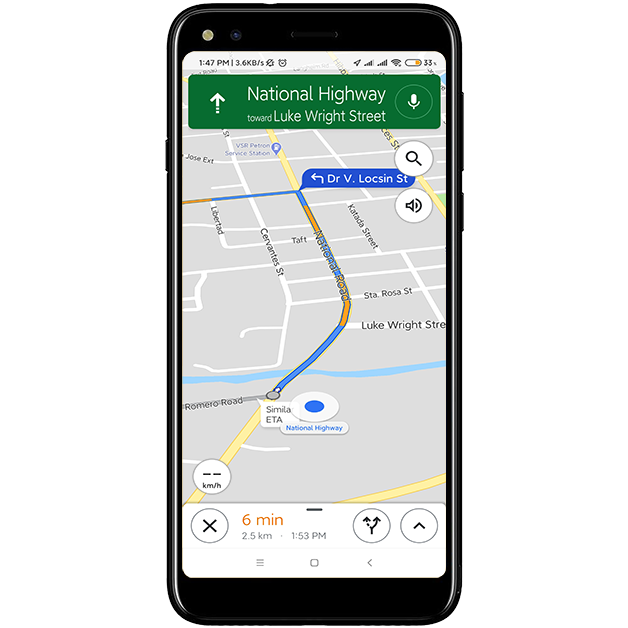
Navigate your route through the 3D navigation map by Google. For exact location of your client you can call the number given by the client for an exact landmark.
STEP 10
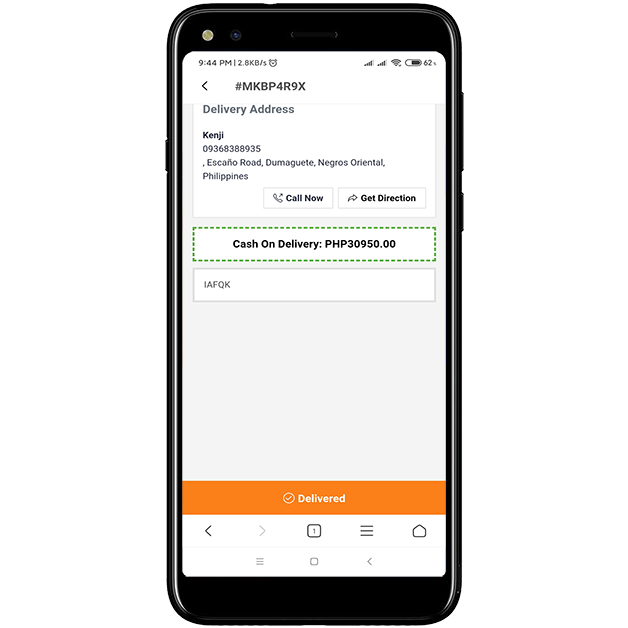
If you're out for delivery this interface will show you. You must ask for the delivery PIN from the customer's side to complete the delivery process.

Get the delivery code from the customer and input it on your dashboard and press the Delivered button to complete the process.
STEP 11
After you successfully entered the Delivery PIN your Account dashboard will display your delivery commission or delivery fee. The dashboard also displays the number of completed deliveries that you have made.
STEP 12
Signup to become a BitPOS Tindahan delivery service provider
This is How Store Owners Register into
BitPOS Tindahan
In order Owners to register to the BitPOS Tindahan, just go to this link:
https://tindahan.bitpos.pro/public/auth/login
STEP 1
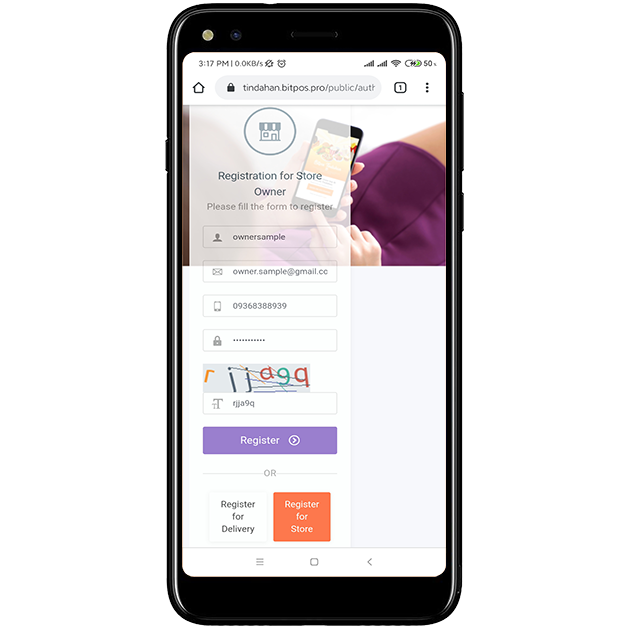
After you click the "Register for Store" you will be redirected to application page. Fill in all the needed information and don't forget to include the captcha this is to verify that you are not an autonomous robot application.
STEP 2
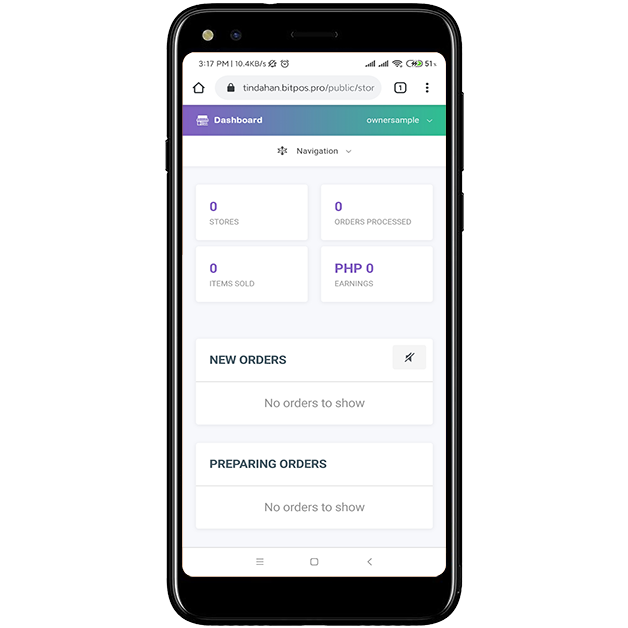
Successful registration of your owner account. In this dashboard you will see all the information about your BitPOS Tindahan Store.
You can see here the new orders, preparing orders and also all the sales.
Monitor and track your orders here in this page.
STEP 3
All Rights Reserved
Copyright 2020
Live Help 4 Us Computer Services